When a flight doesn't fill up, airlines lower the price of remaining seats. See where these fares appear and how to buy before they're gone.
Why are there unsold seats
A plane takes off at the same cost whether it's full or half-empty. Fuel, crew, and airport fees don't change because of an empty seat. That's why when the date approaches and occupancy is low, the airline would rather sell the seat cheap than let it fly empty.
This movement is automatic: pricing systems track demand and release lower fares on routes that aren't selling well. The discount usually doesn't last long, because as soon as some seats sell, the price goes back up.
Anyone who understands this logic stops buying on impulse and starts monitoring the routes they're interested in. That's what separates people who pay full fare from those who travel for half the price.
Skyscanner

Compares dozens of airlines and agencies at the same time and shows when a route's price drops. It's free and works on mobile.
Why it's worth it:
- Shows the price from all airlines on one screen
- Has a calendar showing the cheapest day of the month
- Notifies you when the price goes down
Para continuar a leitura, veja o aplicativo no Google Play.
Where to find these fares
Leftover seats don't sit in a special section of the airline's website. They appear as a lower fare mixed in with the others, which is why people who compare several flights at once spot them first.
Flight comparison sites do exactly that: they gather options from various airlines and sort by lowest price. With a flexible dates calendar, you can see in seconds which day of the week or month has the lowest fare.
How to search on your phone, step by step
The tutorial below uses the Skyscanner app, which is free. The screens show exactly where to tap.
Enter your origin and destination
Open the app, tap Flights and type where you're leaving from. If you haven't decided where to go yet, choose Anywhere: the app lists the cheapest destinations from your city.

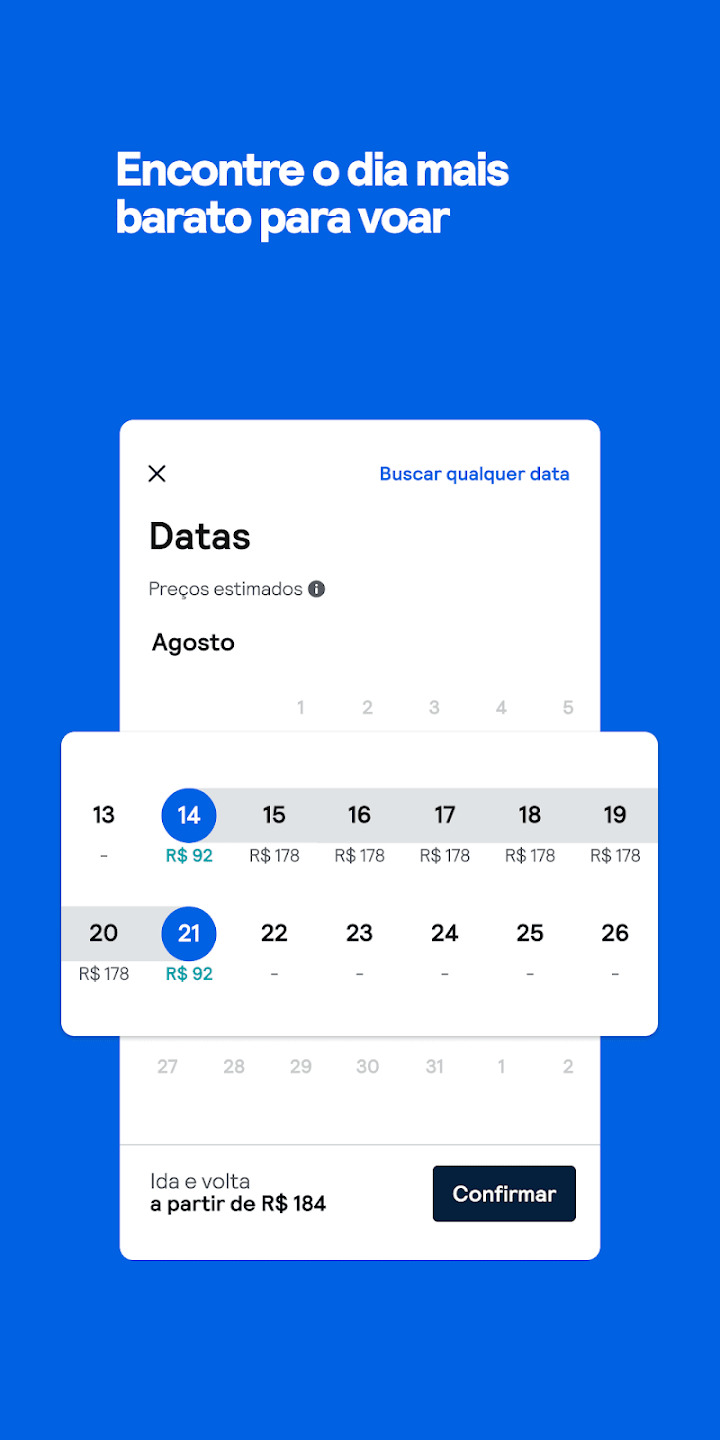
See the cheapest day on the calendar
When you choose the date, the calendar shows the price for each day. The lowest values are usually flights with leftover seats.
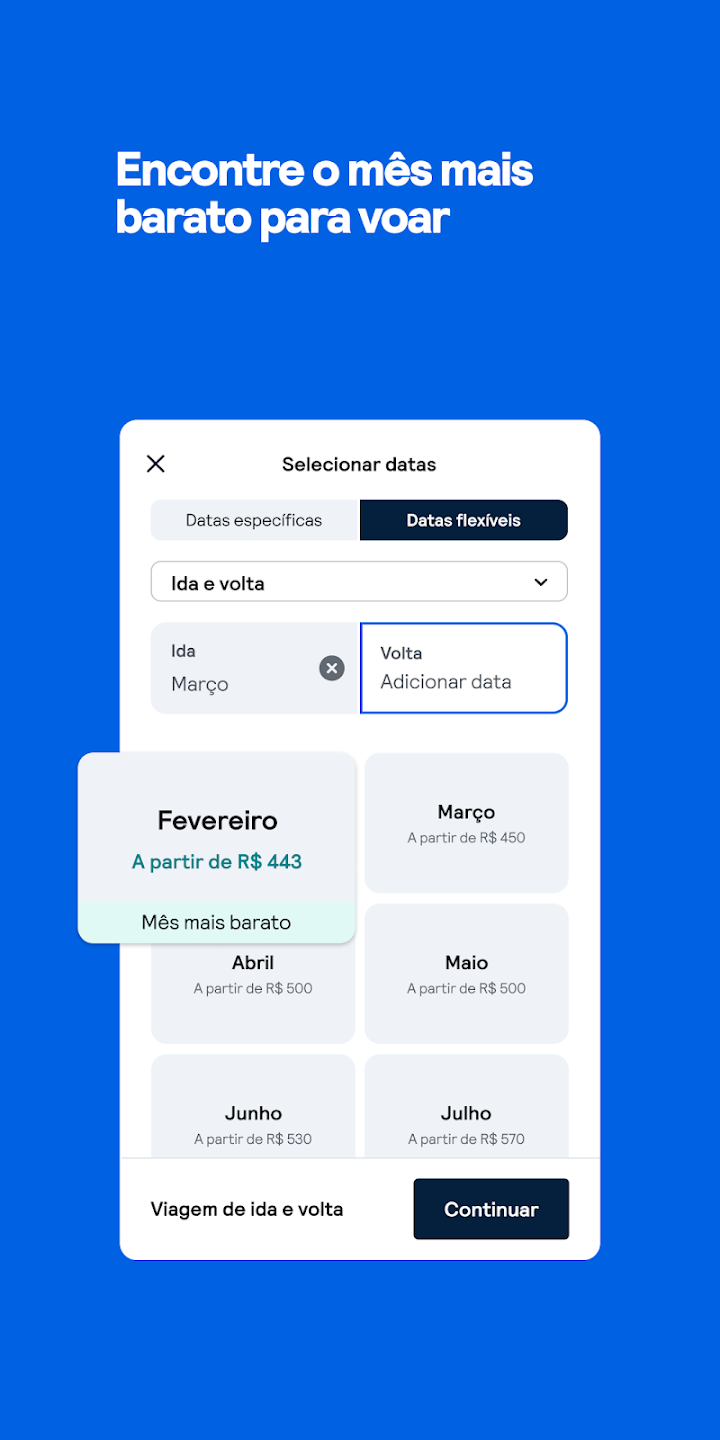
Use the entire month if you're flexible
In Flexible dates, select the whole month. The app indicates the cheapest month to fly, which helps you find the biggest price drops.
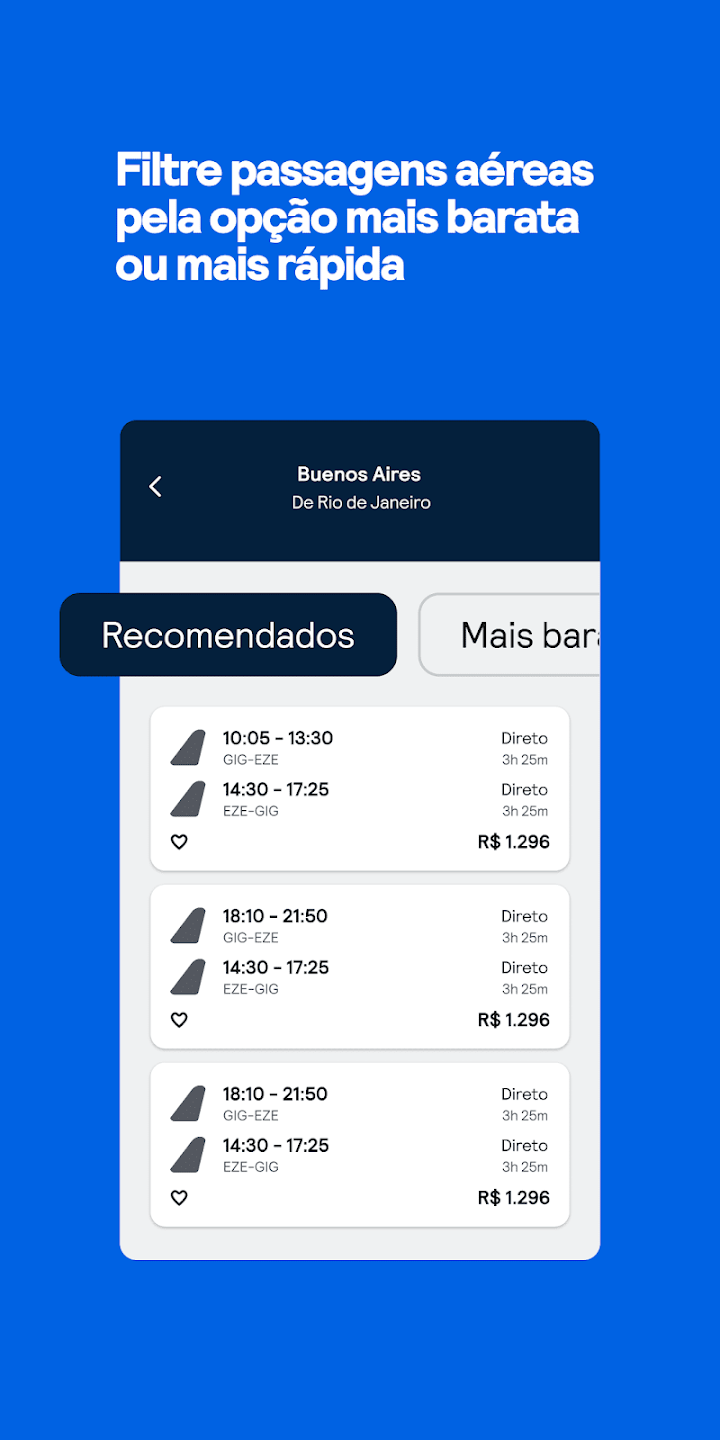
Sort by lowest price
Enter passengers and class (start with economy) and sort results by Cheapest. Also check the total duration: sometimes paying a bit more gets you a much shorter flight.
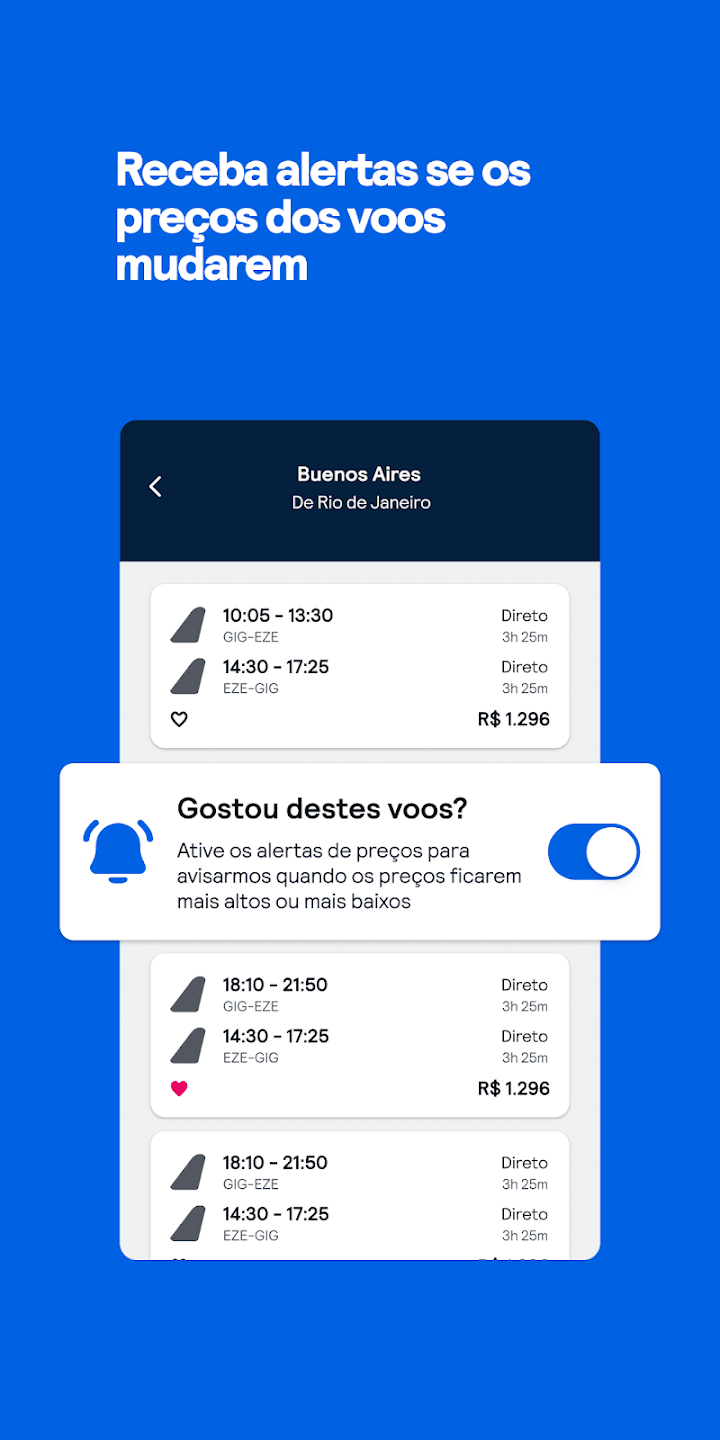
Turn on price alerts
Tap the bell to get a notification when the route's price drops. That's how you catch last-minute released seats.
When discounts usually appear
There's no magic day, but some patterns repeat. Flights mid-week, outside school holidays, and at unpopular times tend to have more leftover seats. Routes with many airlines operating also often have price wars.
- Tuesdays, Wednesdays, and Saturdays usually have lower fares
- Very early or late night flights fill up less
- Low season concentrates the biggest price drops
- Routes with several competing airlines drop prices faster
Destinations that usually appear at low prices
Destinations with high flight availability frequently appear in promotions. Within Brazil, capitals in the Northeast and South show up a lot outside peak season. Abroad, South American cities like Buenos Aires and Santiago usually have competitive fares because of the short distance.
For those who can wait, the best strategy is to pick two or three possible destinations and keep price alerts on for all of them. Whichever drops first becomes your trip.
Things to check before finalizing your purchase
- Check if the fare includes checked baggage
- See the rebooking and cancellation rules
- Add up the fees before comparing with another option
- Complete the purchase on the company's website or a known agency
Frequently asked questions
Are unsold seats riskier?
No. It's the same flight and the same seat as someone who paid more. The difference is only in the timing of the purchase.
Do I need to pay to use the comparison tool?
No. Search and alerts are free. You only pay for the ticket on the website where you decide to buy.
Can I find discounts on international flights?
Yes. The logic is the same, and on long routes the savings in reais is usually even greater.
See also
To continue reading, see how to find late-night flight deals.
To continue reading, see how to pay less with connections.
To continue reading, see how to set up an alert for Europe.
With the comparison tool installed and alerts turned on, you stop relying on luck and start buying on the day the price drops.